|
Whether you are new to Java, an experienced developer or are not using Java
at all but you need to have a FOP
server in a few minutes up and running we have created the J4L
FOP Server bundle.
The J4L FOP Server bundle is a windows executable program that will install
all you need to run Apache FOP and convert XML files to PDF. The main features
are:
- The basic version is free.
- One click install and uninstall
- No Java or Apache FOP knowledge required
- It can be used from any programming language
- It can be used for testing your xsl-fo very easily (see step 4 below)
Getting Apache FOP to work in 4 steps
1. The installation
Download this file and execute it.
First you can select the installation directory:
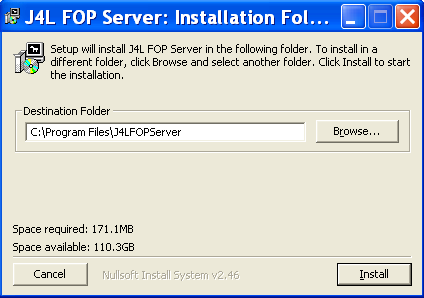
After the files have been copied, click "Next".
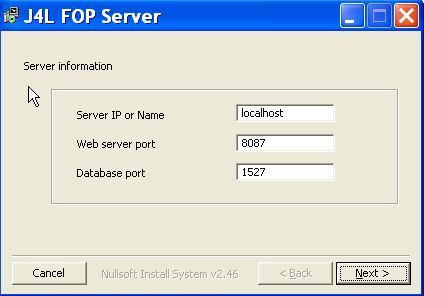
In the next step you select the hostname and ports.
- Hostname: Only if you are using the multiple user license you need to
enter a real network hostname instead of "localhost". In a single
user environment use always "localhost".
- Web server and database port. You can leave the default values unless
these are already in use in your computer.
Installation as windows service (professional edition)
If you are installing the professional edition you will have the chance to
install the service as a windows service.
First you will have to select your processor type:
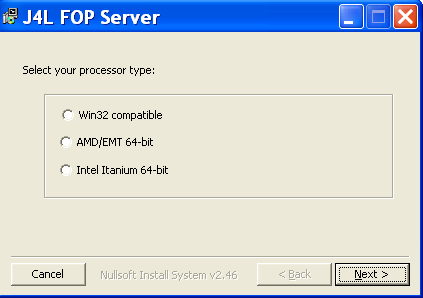
if you are not using a AMD 64-bit or a Intel Itanium 64-bit processor then
select the Win32 compatible option.
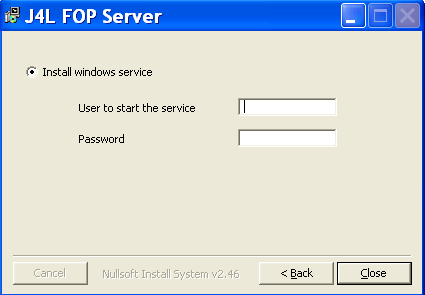
In the second screen you can select if the windows service will be installed
and if so, which user will be used by the service. The user and password can be
left empty. In this case the service will run with the local system account.
If you want to change the windows service after the installing, you can use
these programs:
- <J4LFOPServer>\service\install.cmd : to install the service
- <J4LFOPServer>\service\uninstall.cmd : to remove the service
- <J4LFOPServer>\service\GUI\J4LFOPServerS.exe: use this
program to change the settings of the installed service.
The service\GUI\J4LFOPServerS.exe program can be used to start and
stop the service. Or if you want to start the service always automatically, can
can change the "Startup type" to "automatic".
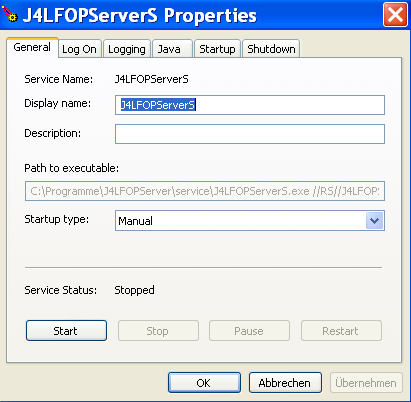
In the "Log on" tab, you can also change the user used for the
service execution.
2. Starting and stopping FOP
Use the Start server and Stop Server programs in the windows menu:
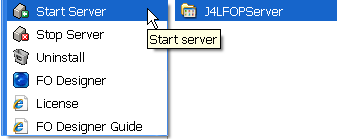
note, if you are using the windows service in automatic mode, there is no
need to start it manually.
3. The initial test
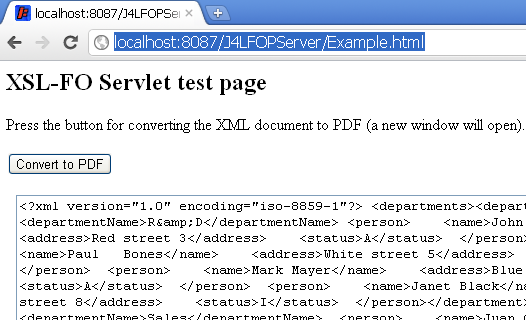
After you have started the server open this URL in your computer and click
the Convert to PDF button. This will generate a PDF file!
http://localhost:8087/J4LFOPServer/Example.html
4. Convert your own files
If you have your own XML and XSL-FO files you want to test, open this
URL
http://localhost:8087/J4LFOPServer/FOP.html
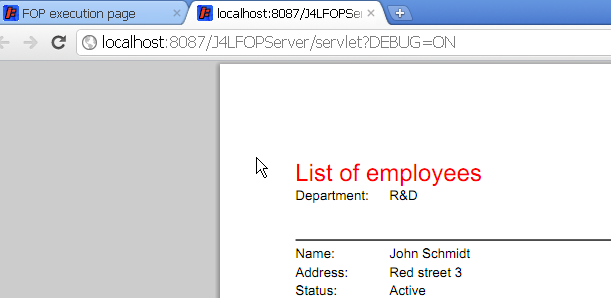
and upload the 2 files, you will find some examples in the directory FODesigner\examples\employees.
You can select the files departmentEmployees.fo and departmentEmployees.xml
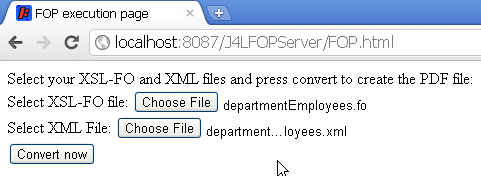
press convert and you will see the output.
How to use the servlet at runtime
If you want to call the FOP Server from your own programs, the URL to use is:
http://computername:8087/J4LFOPServer/servlet?TEMPLATE=xslfo_filename
where:
- xslfo_filename is the name the XSL-FO file which must be located in the
directory: <install dir >\webapps\J4LFOPServer\WEB-INF\classes
- you must call this URL using the HTTP POST method
- in the Body of the HTTP request you must send the XML data
- the response to the HTTP request will be the PDF file.
Note for Oracle APEX users. If you use Oracle APEX the URL to use as
print server is:
http://computername:8087/J4LFOPServer/Apex
the three APEX parameters will be:
- Printer server host address: computername
(for example, "localhost" if APEX and FOP server are on the same
computer)
- Print server port: 8087
- Print Server script: /J4LFOPServer/Apex
|